
An incoming B2B order can say 4 cases without telling you what quantity belongs on the Shopify order.
The number 4 has been extracted correctly. So has the unit case. But neither tells you how many units of the matched Shopify variant the buyer actually wants.
One buyer might use a case of 6 for a product. Another might use a case of 12. A different Shopify variant might itself represent one full case, in which case 4 cases could remain a Shopify quantity of 4.
The useful question is therefore not simply:
How many did the buyer order?
It is:
For this buyer and this product, what does the buyer’s unit mean as a quantity of the resolved Shopify variant?
That is the unit-of-measure and case-pack mapping problem.
This guide focuses only on that quantity-interpretation step in incoming customer orders. It is not about inventory packaging strategy, warehouse fulfillment, supplier purchase orders, or the broader B2B order-entry workflow.
4 cases is not a Shopify line quantity yet
Suppose an incoming order contains:
- product:
FILTER-10 - quantity:
4 - UOM:
CS
If the order-reading step accurately extracts those three values, it has preserved what the buyer sent.
It has not yet established the quantity that should be used for the Shopify variant.
For a Shopify draft-order line, the current Admin API represents a product line using a product variant and an integer line-item quantity. Shopify’s documented draft-order line input does not provide a buyer-specific UOM or case-pack conversion field that turns CS into the required quantity automatically.
The conversion therefore depends on what one source unit means relative to the matched Shopify variant.
The following examples are illustrative:
| Incoming buyer line | Approved interpretation | What the Shopify variant represents | Shopify line quantity |
|---|---|---|---|
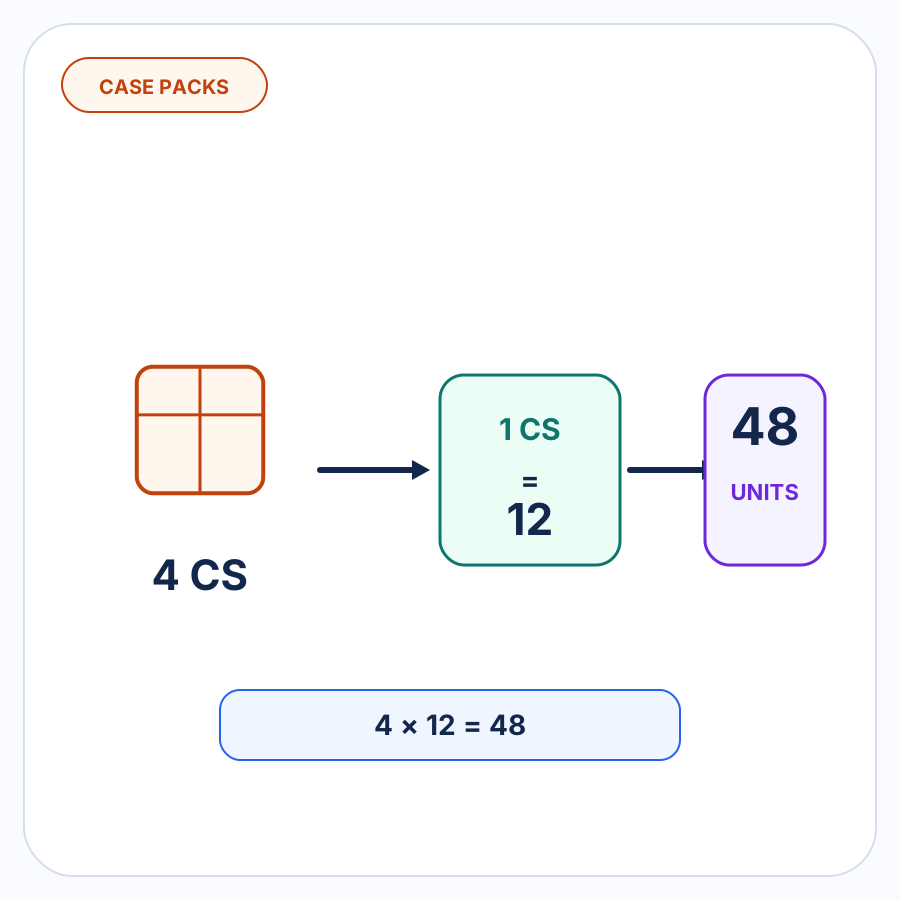
4 CS |
1 case = 12 variant units | One each | 48 |
3 PK |
1 pack = 6 variant units | One each | 18 |
24 EA |
1 each = 1 variant unit | One each | 24 |
4 CS |
1 case = 1 variant unit | One case | 4 |
The same source quantity can therefore produce a different Shopify quantity depending on the approved relationship.
The safe rule is:
Do not convert the quantity until the unit’s meaning is known for the buyer and resolved product.
Product identity and quantity interpretation are separate decisions
A line item can contain two different mapping problems at the same time.
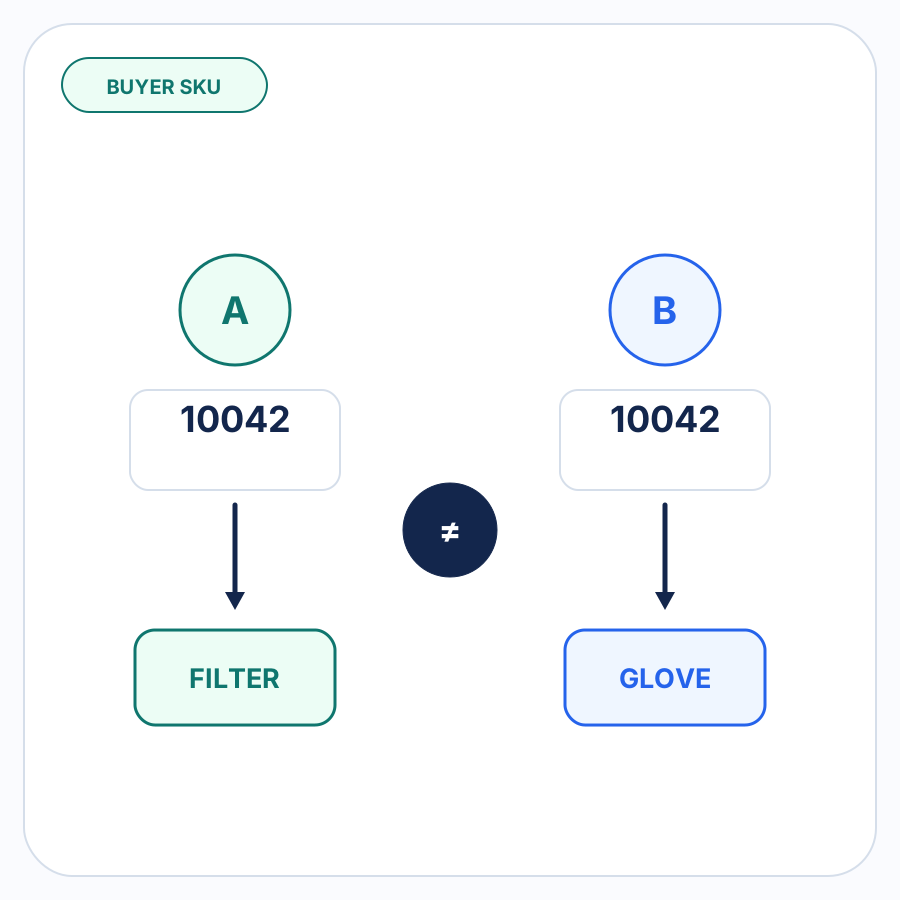
Product or SKU mapping answers:
Which Shopify variant does the buyer mean?
UOM or case-pack mapping answers:
How many units of that Shopify variant did the buyer request?
Those questions should not be collapsed into one decision.
Imagine a buyer sends:
A18472 — 4 CS
The first job might establish:
Buyer A + A18472 → Shopify variant VALVE-20-BRASS
That identifies the product. It says nothing about the meaning of CS.
A separate approved relationship might establish:
Buyer A + VALVE-20-BRASS + CS → 12 units per case
Only then can 4 CS become a Shopify line quantity of 48.
If A18472 has not yet been resolved to a specific variant, applying a product-specific case conversion would be premature.
For the product-identity side of this problem, see customer-specific SKU mapping in Shopify B2B.
Case-pack mappings should be scoped to the buyer and product
A global rule such as:
CASE = 12
looks convenient but can create incorrect quantities.
The word case does not guarantee one universal pack size.
Even within a single merchant’s business:
- Buyer A might order Product X in cases of 12.
- Buyer A might order Product Y in cases of 6.
- Buyer B might order the same Product X in a different convention.
- Another buyer might use
CS,CA,CASE, or another abbreviation for a known unit. - A Shopify variant might represent an individual item in one catalog model and a packaged unit in another.
The useful mapping therefore needs enough context to identify the relationship being approved.
Conceptually:
buyer + resolved Shopify variant + incoming UOM → quantity of that variant
For example:
Buyer A + FILTER-10 + CS → 12 variant units
This does not mean every buyer’s CS is 12, or that every product Buyer A orders by case contains 12.
The mapping belongs to the relationship in which it was confirmed.
Cases, packs, and eaches need different treatment only when their meaning differs
The label itself is less important than the approved conversion.
Consider three source lines:
4 CASE
4 PACK
4 EACH
If the Shopify variant represents one individual unit, those might mean:
- 4 cases × 12 each = 48 variant units;
- 4 packs × 3 each = 12 variant units;
- 4 each × 1 = 4 variant units.
But those numbers cannot be inferred merely from the words case, pack, or each.
A buyer might also use an abbreviation whose meaning is obvious to its purchasing team but not to the merchant’s system.
That is why extracting the UOM and resolving the UOM are different jobs:
Extraction: the source says 4 CS.
Resolution: for this buyer and product, an approved CS means 12 units of the matched Shopify variant.
The first preserves the buyer’s evidence. The second makes the quantity actionable.
Approved UOM mappings should be reused
Once a merchant has confirmed a repeatable unit relationship, there is little value in rediscovering it from scratch on every order.
Suppose Buyer A previously ordered:
FILTER-10 — 4 CS
and the merchant confirmed:
Buyer A + FILTER-10 + CS → 12 units per case
When the same buyer later orders:
FILTER-10 — 6 CS
with no contradictory information, that approved relationship provides strong evidence for:
6 × 12 = 72 variant units
Reusing an approved mapping turns a recurring buyer convention into known operational data.
It also avoids a subtle failure mode: a new interpretation process independently guessing a different case size even though the merchant has already established the relationship.
A remembered mapping should therefore outrank a fresh guess when the current order remains consistent with it.
A remembered mapping should not override new conflicting evidence
Remembering a mapping does not mean treating it as permanently correct regardless of what a later order says.
Suppose the approved relationship is:
Buyer A + FILTER-10 + CS → 12 units
A later order contains:
FILTER-10 — 4 CS — 24 EA/CS
Now the source and the remembered mapping disagree.
Blindly applying the old mapping would produce:
4 × 12 = 48
while the current document explicitly implies:
4 × 24 = 96
That discrepancy deserves review.
Possible explanations include:
- the buyer’s convention changed;
- the case pack changed;
- the current document contains an error;
- the old mapping was wrong;
- the source is referring to a different product configuration.
The automation does not need to decide which explanation is true without evidence.
It should preserve both pieces of information, surface the conflict, and let the merchant confirm whether the existing mapping should remain, be updated, or be rejected for this order.
The purpose of remembered mappings is to remove repeat work when the evidence is consistent—not to hide new evidence when it is not.
When a UOM or case-pack line should require review
A known mapping can make a repeat order straightforward. Several situations should still stop the quantity interpretation for review.
There is no approved mapping
If a buyer orders 5 CS and nothing establishes how many units belong in a case for that product, the system has no supported conversion.
5 cases should remain 5 cases until the relationship is confirmed.
The product itself is unresolved
A case-pack mapping tied to Product A should not be applied while the line might actually refer to Product B.
Product identity needs to be resolved separately before a product-specific quantity conversion is trusted.
The current order conflicts with the remembered mapping
An explicit 24/CS, 6 per pack, or similar source value that disagrees with an existing mapping is useful evidence.
The conflict should be surfaced instead of silently discarding the new information.
The source contradicts itself
A line might say 3 CASE while another field or note implies a different total number of eaches.
If both interpretations cannot be true, the correct result is a review item.
The conversion does not produce a valid quantity of the matched variant
Shopify’s current draft-order line input requires an integer quantity. If the proposed conversion cannot produce a whole number of the matched variant units, the relationship needs to be reviewed rather than rounded silently.
The mapping is being applied outside its approved scope
A conversion confirmed for one buyer or product should not automatically become a global rule for every order containing the same UOM label.
Shopify quantity rules solve a different problem
Shopify B2B has native quantity rules for products and variants.
Shopify currently documents three main quantity constraints:
- an increment;
- a minimum quantity;
- a maximum quantity.
Its own example says that a product boxed in multiples of 10 can use an increment of 10 so buyers purchase 10, 20, 30, and so on. Quantity rules apply at the variant level. See Shopify’s B2B quantity-rule documentation.
That can be useful for enforcing how quantities are ordered in a Shopify B2B buying experience.
It is not the same problem as interpreting an incoming order that says 4 CS.
A quantity increment answers:
What quantities of this Shopify variant may be purchased?
A UOM mapping answers:
What quantity of this Shopify variant did the buyer mean by the quantity and unit written on its incoming order?
Those can sometimes correspond. If a Shopify variant is sold in multiples of 12 and the buyer’s approved case is also 12, both concepts involve the number 12.
They are still different pieces of information and should not be treated as interchangeable.
Shopify unit pricing is also a different concept
Shopify also uses the phrase unit price for price-per-measure displays such as price per gram or kilogram.
That feature helps customers compare products sold in different quantities or measurements. Shopify documents total measurements, base measurements, and a displayed price per measurement for a product or variant. See Shopify’s unit-pricing documentation.
That is a pricing-display concept.
It does not answer what a particular buyer means when an outside order uses CS, PK, or another buyer-specific ordering unit.
Keeping these concepts separate avoids treating every Shopify feature containing the word “unit” as a UOM conversion system.
A reliable line-level UOM workflow
For this specific problem, the workflow can stay narrow:
- Preserve the incoming quantity and UOM exactly as supplied.
- Resolve the product to the correct Shopify variant.
- Look for an approved UOM or case-pack mapping scoped to the relevant buyer and product.
- Compare the current source evidence with that mapping.
- If the mapping is known and the order is consistent with it, convert the source quantity into the quantity of the Shopify variant.
- If the mapping is missing, contradictory, or produces an unsupported result, leave the line for review.
- When a merchant confirms a new or changed relationship, retain that approval for later orders where the same relationship applies.
This is only the quantity-resolution portion of the wider workflow.
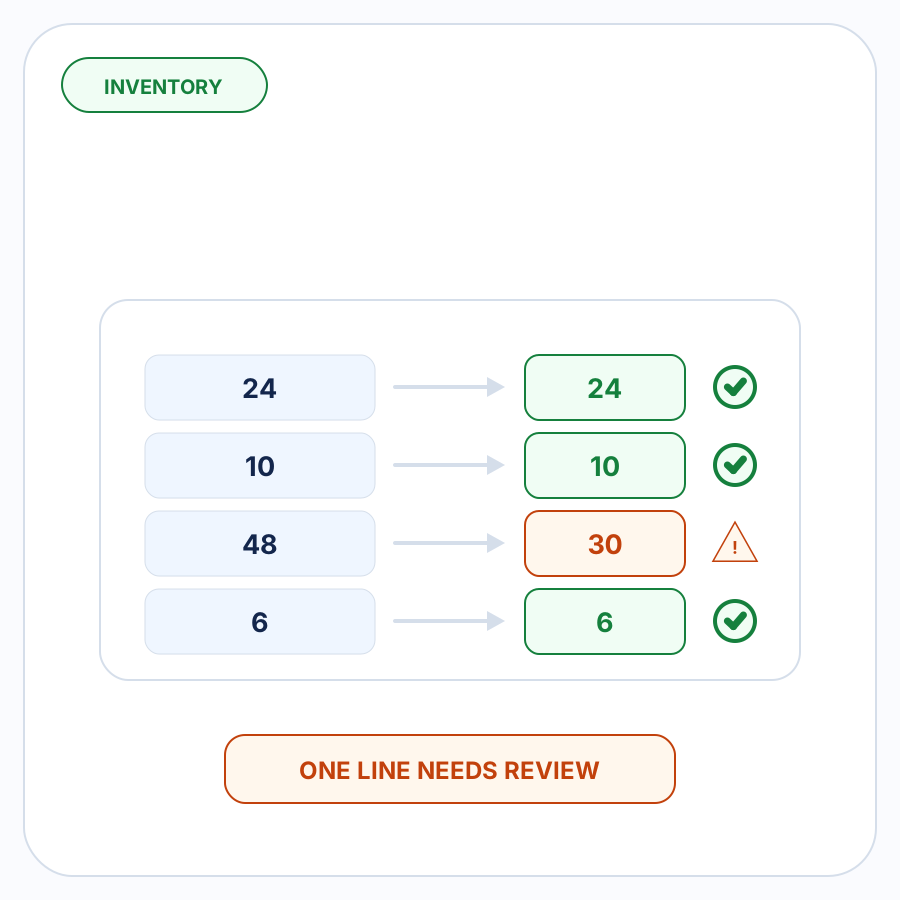
Once a quantity is resolved, inventory checks before draft creation can surface whether the requested units still need attention.
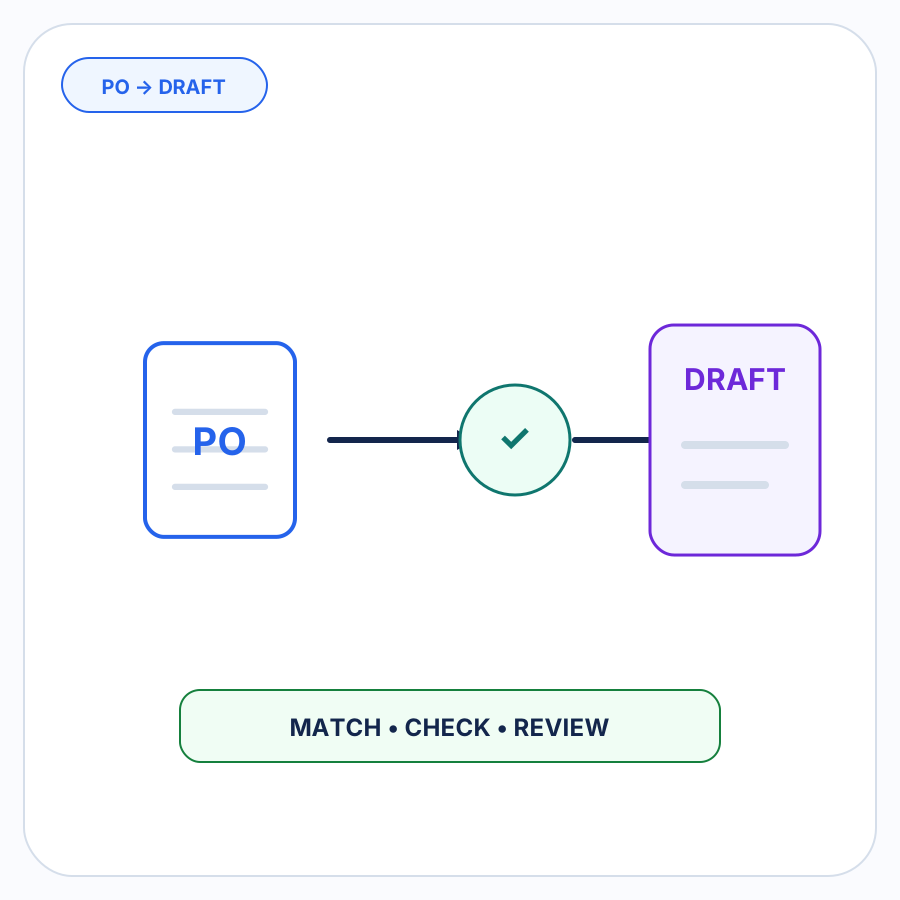
For the surrounding steps from customer purchase order through buyer matching, validation, review, and draft creation, see how an incoming customer purchase order becomes a Shopify B2B draft order.
How PO Autopilot handles UOM and case-pack mappings
PO Autopilot turns incoming B2B purchase orders and order requests into reviewed Shopify B2B draft orders.
As part of its Shopify-matching workflow, PO Autopilot can use buyer-specific UOM and case-pack mappings. When a merchant approves a buyer UOM or case-pack mapping, PO Autopilot can remember it for later orders from that buyer.
The remembered mapping is not treated as a reason to ignore changed information. Missing, ambiguous, changed, or inconsistent details can still be brought to the merchant for review before the Shopify draft order is created.
See how PO Autopilot handles B2B order matching and review.
FAQ
If a buyer orders 4 cases, should the Shopify quantity be 4?
Not necessarily.
If the matched Shopify variant represents one individual item and the buyer’s approved case contains 12 of those items, 4 cases would mean a line quantity of 48.
If the matched variant itself represents one case, the quantity might remain 4.
The quantity should follow the confirmed relationship rather than the source number alone.
Is a case pack the same as a Shopify quantity increment?
No.
A Shopify quantity increment controls the multiples in which a variant can be purchased, such as 12, 24, or 36.
A case-pack mapping interprets what a source unit such as CASE means for an incoming order.
The numbers can sometimes match, but they answer different questions.
Is UOM mapping the same as customer-specific SKU mapping?
No.
Customer-specific SKU mapping identifies which Shopify variant the buyer means.
UOM mapping determines how many units of that variant the buyer means.
An order line can require both decisions.
Can an approved case-pack mapping be reused on future orders?
Yes, when it is scoped to the relevant buyer and product and the new order is consistent with it.
If a later order supplies information that conflicts with the remembered conversion, the conflict should be reviewed rather than automatically forcing either value.