
30–60 second workflow
From customer PO to Shopify Draft Order.
The real workflow is short: send the order in, review what needs judgment, and create the draft.

Video coming soon
Real product walkthrough
The founder-recorded screencast will appear here. This is a real Review-screen image, not a simulated interface.
Until the screencast is published, the numbered walkthrough covers the same sequence end to end. Ask for a live walkthrough if you want to see it on your own catalogue.
1. Receive the order
A buyer emails a PO, a merchant uploads it, or a sales rep describes it in plain language.
2. Read and resolve
PO Autopilot extracts the order and checks buyer, location, contact, variants, units, shipping, terms, and prices against Shopify.
3. Review the exception
Confident matches stay out of the way. The Review screen focuses on a product, address, price, or other detail that needs judgment.
4. Remember the decision
The merchant can approve a buyer-specific or global mapping so the same convention resolves on the next order.
5. Create the Shopify draft
Shopify prices the resolved order and PO Autopilot creates one ordinary Shopify Draft Order.
Step by step
The same sequence, in the real interface.
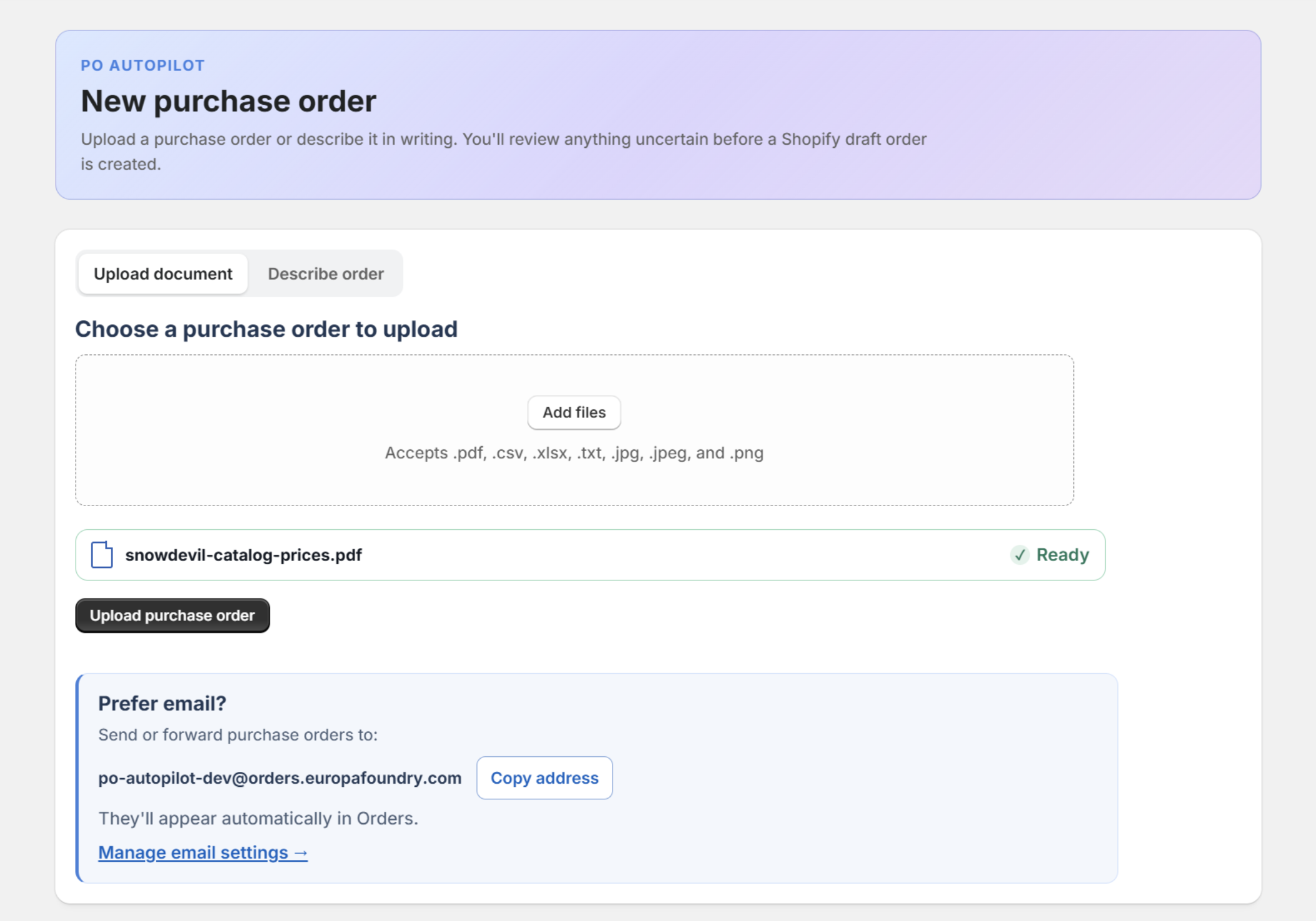 01
01The order arrives
A buyer emails the purchase order or a merchant uploads it. PDF, XLSX, CSV, text, image, and scan all go the same way.
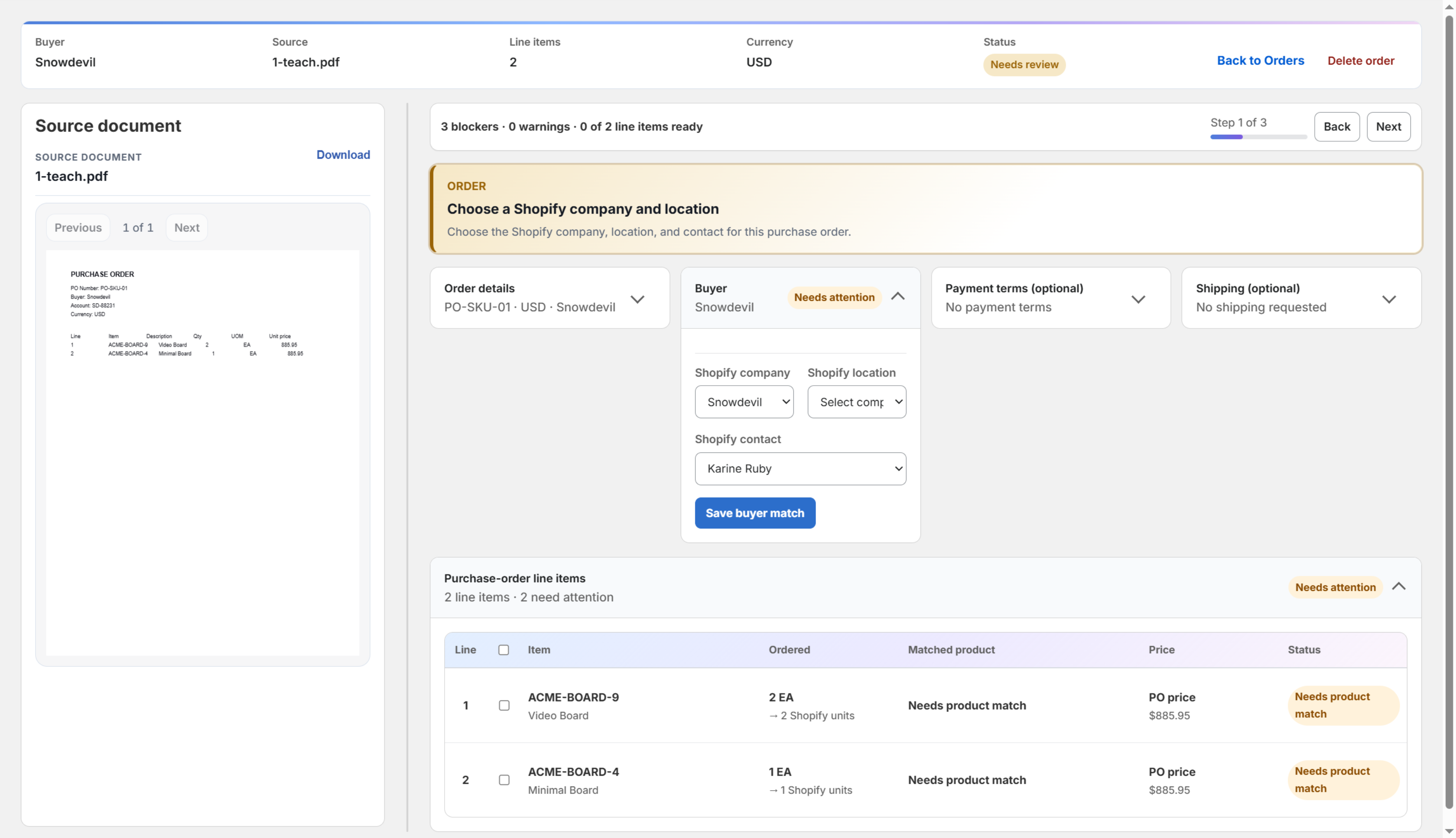 02
02Review opens on what is unresolved
The source document stays beside the decisions. Buyer, company, location, payment terms, and shipping each get their own card.
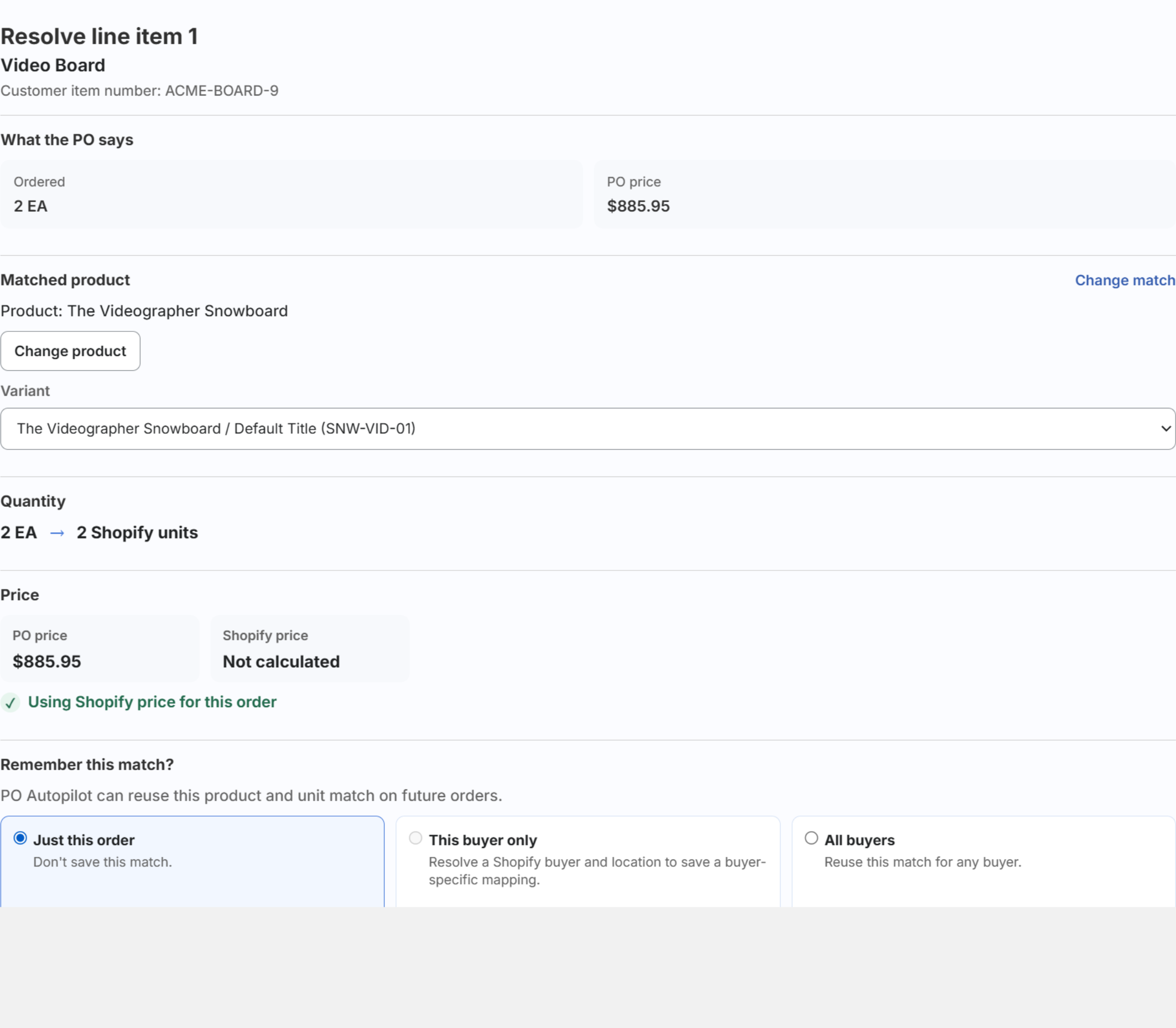 03
03One decision, then remembered
What the purchase order said sits beside the matched Shopify product, variant, and unit conversion. Approve the mapping for this buyer or for all buyers.
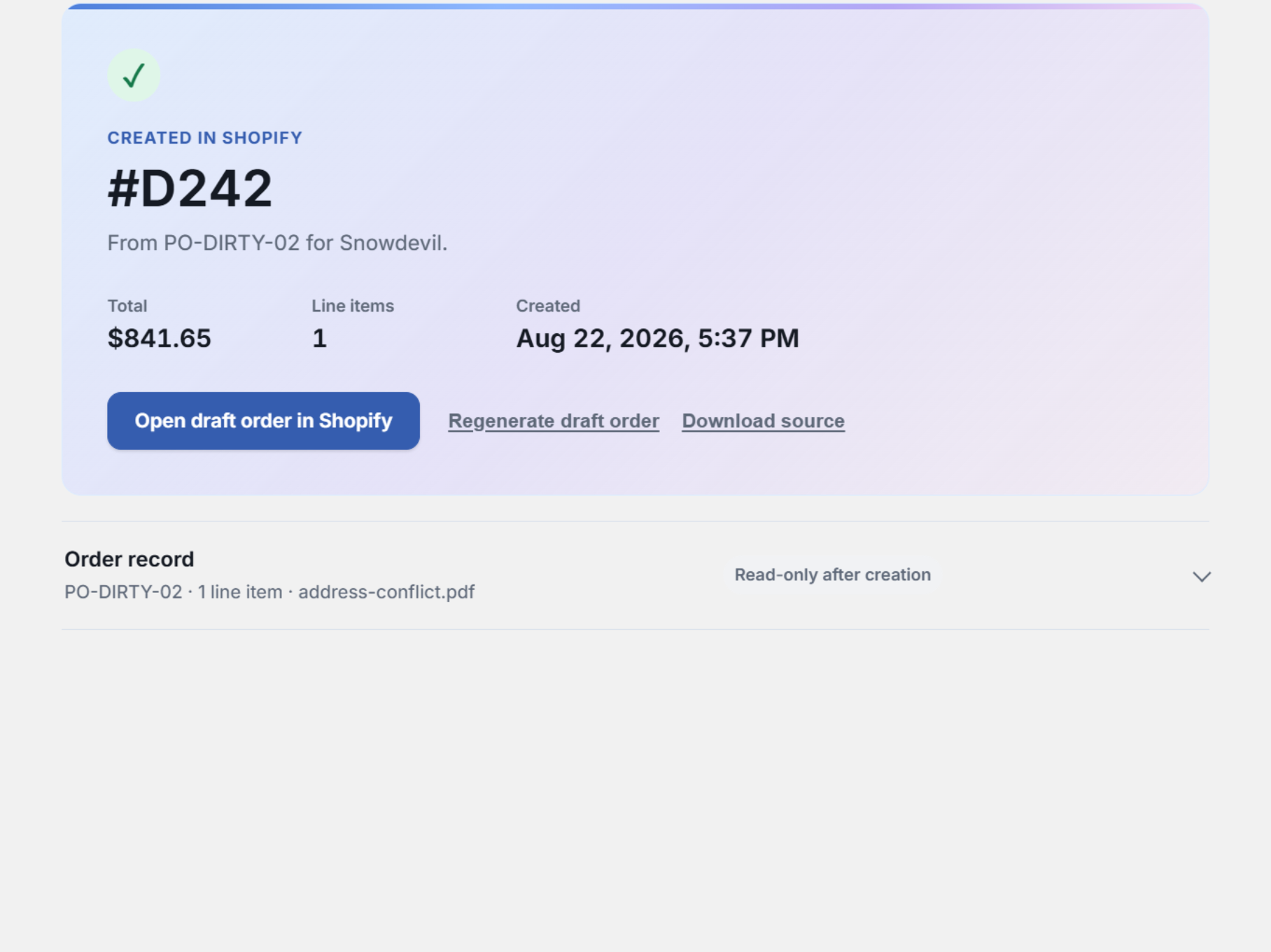 04
04A Shopify Draft Order
The resolved order becomes one ordinary Shopify Draft Order, priced by Shopify.


See the details
Every decision has documentation behind it.
Read the exact intake rules, matching order, warning behavior, mapping scopes, and Draft Order requirements.